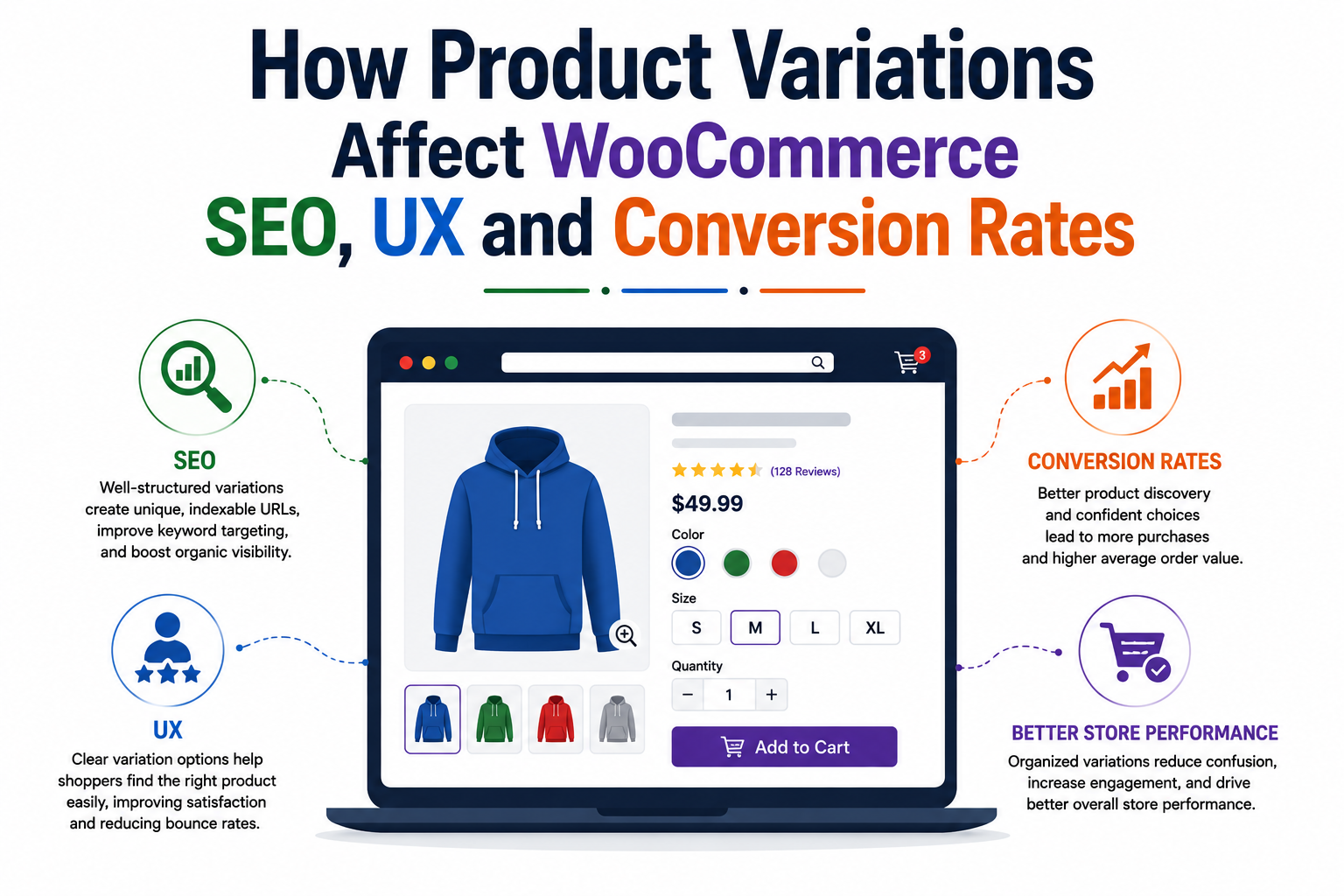
How Product Variations Affect WooCommerce SEO, UX and Conversion Rates
- Understanding WooCommerce Variations
- How WooCommerce Product Variations Impact SEO
- The Keyword Targeting Advantage
- Managing Duplicate Content Risks
- Internal Linking and Catalog
- WooCommerce Variations and User Experience (UX)
- Visibility and Visual Discovery
- Interactive Swatches vs. Standard Dropdowns
- Simplifying the Navigation Journey
- How Product Variations Drive Conversion Rate
- Reducing Choice Hesitation
- Speeding Up the Checkout Process
- Practices for Displaying WooCommerce Variations
- Choose the Right Display Mode
- Optimize Images and Swatches
- Control Catalog Cleanliness
- Frequently Asked Questions
- Conclusion
Running an online shop requires careful catalog management. Store owners often struggle with product display settings. Choosing how to show options alters your overall site performance. WooCommerce product variations shape how buyers browse your store. They also influence search engine rankings and final sales figures.
Standard setup groups every option into one single listing. Customers select sizes or colors from small dropdown menus. However, modern e-commerce demands better presentation strategies. Displaying a WooCommerce variation properly transforms the shopping experience.
This guide explores variation management for WooCommerce websites. You will learn to balance search visibility, customer usability, and revenue growth.
Understanding WooCommerce Variations
Variable products let you sell items with different attributes. Common attributes include size, color, material, and style.
A single apparel listing might feature multiple color choices. Standard store settings hide these choices inside dropdown menus. Shoppers must click into the listing to see options. They cannot view specific items directly on catalog pages.
This traditional setup keeps archive pages clean and tidy. However, it conceals your full inventory from browsing visitors. Alternative setups reveal each option as an individual item. Store owners can display options as separate grid cards.
Tools like the WooCommerce variations plugin help. This extension gives merchants complete control over catalog displays. They can choose between standalone items or interactive dropdown cards. Understanding these modes helps you optimize performance metrics effectively.
How WooCommerce Product Variations Impact SEO
Search engine optimization drives organic traffic to your store. Catalog structure dictates how search bots index your content.
The Keyword Targeting Advantage
Single product pages target broad search phrases. A general listing ranks for basic terms like cotton t-shirt.
Displaying individual variations creates dedicated indexable landing pages. Each product variation can target precise long-tail keywords.
Shoppers often search for specific items like ‘red cotton t-shirt’. Dedicated URLs match these exact high-intent search queries. Capturing long-tail traffic usually leads to higher purchase intent. Visitors find the exact item they searched for immediately.
Managing Duplicate Content Risks
Creating separate URLs for every option introduces ranking risks. Search engines penalize sites with duplicate text content. If ten color options share identical descriptions, rankings drop. So, you must write unique descriptions for every individual option.
Alternatively, implement canonical tags pointing back to parent pages. Proper canonicalization prevents search penalties while maintaining index organization.
Self-referential canonicals work best when variations feature unique content. Always manage indexed URLs carefully to protect overall domain authority.
Internal Linking and Catalog
Individual option pages build a deeper internal linking structure. Category archives link directly to distinct attribute landing pages.
This structure passes link equity across your entire catalog. Search crawlers discover deep pages faster during automated site scans.
A well-structured archive signals strong topical authority to search engines. Consequently, your broad category pages may also rank higher.
WooCommerce Variations and User Experience (UX)
User experience determines how easily visitors can navigate your shop. Intuitive navigation keeps potential buyers engaged much longer.
Visibility and Visual Discovery
WooCommerce variations hidden behind dropdowns can create friction for modern shoppers. Visual discovery drives sales for clothing and home decor.
Displaying options as distinct items fills archives with visual variety. Customers see available colors immediately without clicking around extra pages.
Visual clarity reduces cognitive load during catalog browsing sessions. Shoppers scan options and spot preferred styles instantly.
Interactive Swatches vs. Standard Dropdowns
WooCommerce variations can feel difficult to browse when options use plain text dropdowns. Replacing dropdowns with visual swatches improves store interaction metrics dramatically.
Color swatches display true product shades directly on screen. Image swatches show textured details like wood or fabric patterns.
Swatches allow instant visual confirmation during the selection process. This clear feedback builds buying confidence before checkout begins.
Simplifying the Navigation Journey
Fewer clicks mean faster purchasing decisions for online consumers. Mobile shoppers especially dislike navigating complex multi-level menus.
Features like Quick View popups display details without page reloads. Combined with AJAX add-to-cart buttons, shopping becomes smooth and fast.
Customers complete orders without losing their place on category grids. Streamlined user journeys lower bounce rates across mobile devices.
How Product Variations Drive Conversion Rate
Optimizing presentation directly influences store revenue and sales volumes. Better presentation converts casual store visitors into paying customers.
| Display Strategy | Conversion Impact | Best Used For |
|---|---|---|
| Standard Dropdowns | Baseline conversions; requires extra navigation clicks. | Large catalogs with basic, uniform options. |
| Separate Variation Cards | Higher impulse clicks; captures long-tail search traffic. | Visual products like apparel, shoes, and decor. |
| Archive Dropdowns & Swatches | Faster selections; lowers bounce rates on categories. | Stores wanting clean archives with fast buying. |
| Quick View + AJAX Cart | Reduces friction; increases multi-item basket sizes. | Mobile-heavy stores and impulse purchases. |
Also read this: The Best TikTok Shop Plugin for WooCommerce in 2026
Reducing Choice Hesitation
Poorly displayed WooCommerce product variations can cause customer hesitation and abandoned carts. Buyers hesitate when product images do not match selected attributes.
Dynamic gallery updates solve this common conversion blocker immediately. Selecting a blue option must update the gallery to blue images instantly.
Visual confirmation reassures buyers about their exact order choice. Clear expectations reduce post-purchase regret and expensive product returns.
Speeding Up the Checkout Process
Slow page loads destroy conversion rates on e-commerce platforms. Forcing buyers through multiple product pages increases drop-off rates.
Enabling instant shop-page selections speeds up order placement significantly. Customers choose attributes and click buy within seconds.
Reducing purchase steps eliminates unnecessary friction points during checkout. Faster processing naturally yields higher completed order totals over time.
Practices for Displaying WooCommerce Variations
Managing WooCommerce variations requires strategic balancing between clarity and order. Follow these operational tactics to optimize your store presentation.
Choose the Right Display Mode
Match your catalog layout to your specific product vertical. Product variations should be displayed according to your product type.
Apparel stores benefit from showing options as individual cards. Hardware stores selling simple screw sizes should use organized dropdowns. So, consider testing frontend mode switchers for maximum user flexibility.
Letting shoppers toggle views empowers them to browse comfortable layouts.
Optimize Images and Swatches
High-quality images are vital for high-converting variation displays. Compress every attribute image to preserve fast loading speeds.
Use precise color codes or high-resolution swatches for accuracy. Ensure mobile touch targets for swatches are large enough to tap easily.
Test your responsive design thoroughly across desktop and smartphone screens.
Control Catalog Cleanliness
Avoid cluttering archive pages with hundreds of repetitive choices. Unhide parent items only when variation counts remain reasonable.
Hide parent listings when displaying individual attribute cards separately. This prevents duplicate items from filling the same archive row.
Filter out out-of-stock options automatically to prevent customer disappointment.
Frequently Asked Questions
Conclusion
Mastering option management transforms standard catalogs into high-converting sales channels. Strategic displays balance SEO visibility, user experience, and revenue generation.
Exposing hidden choices through WooCommerce product variations can capture valuable long-tail search engine traffic effectively. Meanwhile, visual swatches and AJAX carts remove friction for everyday shoppers.
Evaluate your inventory type to select ideal presentation strategies today. Implementing plugins like WooCommerce Smart Variations and Attributes Display will elevate your entire e-commerce store experience.